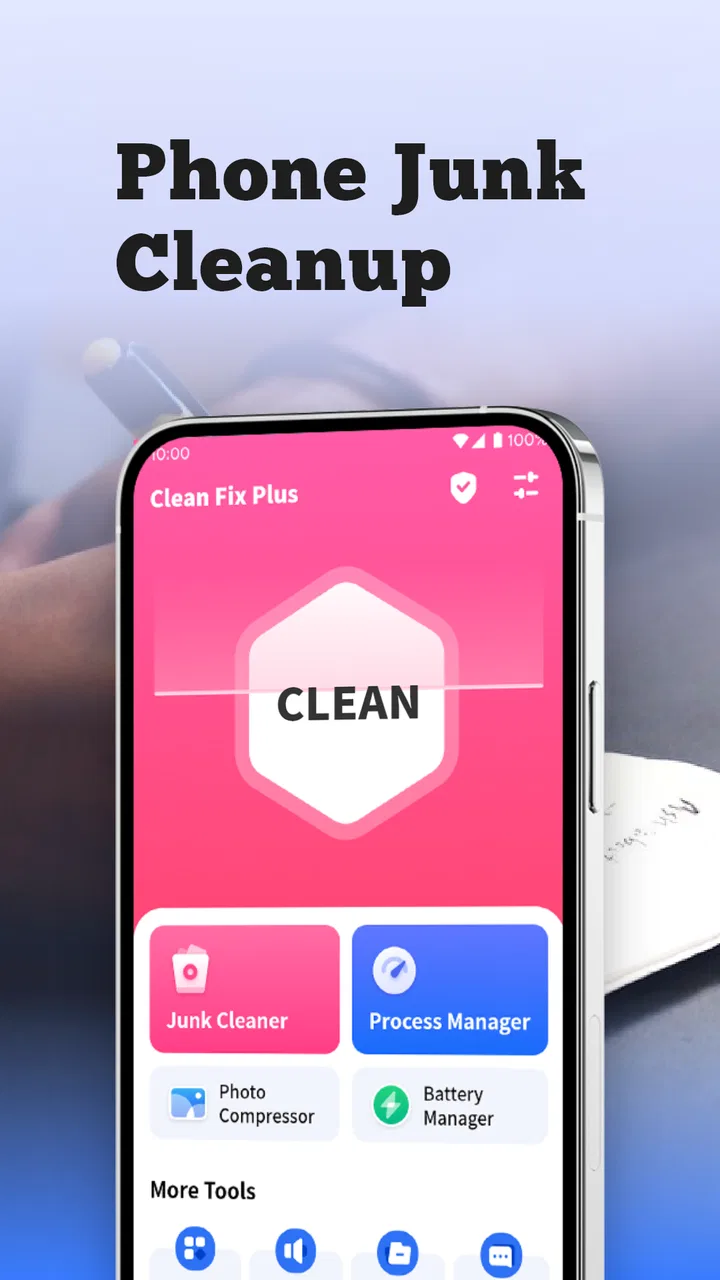
Clean Fix Plus
- 4.5
- Rating
- 5.00M
- Installs
- Free
- Price

 Analysis by App-foxy
When several people use the same Android phone or tablet, unwanted files can build up quietly. Photos get downloaded more than once, old installation packages remain forgotten, and temporary material from apps occupies space that nobody notices until the device starts complaining. I tested Clean Fix Plus as a household cleanup tool, and I found its main appeal in that simple situation: it gives a shared device a dedicated place for removing junk files that are no longer useful.
This is a free Tools app from AppDustBuster, aimed at everyone rather than a specialist audience. Its current version is 1.1.1, and it works with Android 6.0 or newer. The app has reached over 5 million installs, with a 4.5 average from around 49 thousand ratings and roughly 2 thousand reviews. Those figures suggest that the basic idea is easy for many people to understand, but they do not remove the need to use a cleanup app carefully, especially when a phone has several users and nobody is quite sure who created a file.
How Clean Fix Plus fits a shared household device
My most useful way to think about this app is not as a magic speed button, but as a small maintenance step for a device that has become communal. Imagine a tablet used in the kitchen for recipes, children’s videos, school documents, and occasional guest browsing. Over time, downloads and temporary files can become a mixture of everyone’s leftovers. The person who finally sees the storage warning may not know which files belong to whom.
You May Also Like

 Blood Strike: 2.5 Anniversary
Blood Strike’s Loadouts Turn Every Drop Into a Tactical Gamble
A close look at Blood Strike’s custom loadouts: how fast access to signature weapons reshapes its battle royale rhythm, rewards preparation, and narrows the gap between fights.

 Pandora - Music & Podcasts
Pandora’s Music Is Easy to Start, but Harder to Recover
Pandora’s strength is its low-effort path from a seed to a station. Its weak spot is how much confidence it asks you to place in connection, setup, and quiet recovery.

 8 Ball Pool
 Is Built on Rivalries, Rematches, and Routine
A close look at the rivalries, rematches, shared routines, and unanswered safety questions that turn a quick pool match into a persistent mobile community.

 Samsung Music
’s Quiet Strength Is Playing What You Already Own
Its reach comes less from spectacle than from dependable access to a personal library. That simplicity is both the app’s strongest retention engine and its ceiling.

 AccuWeather: Weather Radar
AccuWeather Review: A Quick, Clear Forecast for Everyday Decisions
For everyday plans, the best forecast is the one you can understand quickly. AccuWeather makes rain timing, radar, and local conditions easy to act on, with a few trade-offs.

 Hill Climb Racing
Why Hill Climb Racing Still Turns Crashes Into One More Run
A tiny car, a bumpy hill and one more upgrade: Hill Climb Racing keeps resurfacing because its simple chaos makes every near-miss feel personal.
More From Our News Desk



In that scenario, the app can help narrow the cleanup task to material that appears disposable. That is more practical than opening every installed app and trying to guess which internal settings are safe. I would run it before a long trip, before downloading a large offline collection, or when a shared device begins refusing ordinary updates. It is also useful after a period when several people have been downloading documents, images, or media for short-term use.
The important household habit is to treat the scan as an inspection, not an automatic command. A file may look old or unimportant while still being needed by another person. A parent might recognize a child’s school worksheet; a partner might know that a document is needed for an appointment. I would always review what the app presents before confirming deletion, and I would ask other users first if the device has no clear owner.
A cleanup routine that avoids household arguments
I found the safest routine is short and repeatable. First, ask everyone who uses the device whether they have anything they still need. Next, open the cleanup view and look at the categories or entries rather than accepting everything at once. Then remove only the items that have an obvious purpose as temporary or unwanted material. Finally, reopen the apps that matter to each person, such as a document reader, camera, or messaging app, and make sure their everyday content is still available.
This approach matters because the phrase “junk file” is convenient but broad. A duplicate download may be harmless, while a file with a similar name may be the only copy of an important form. Shared devices also create a social problem that a technical tool cannot solve: the person doing the cleanup may have less knowledge about the files than the person who created them.
One non-obvious benefit is that a scheduled household conversation can make the tool more useful than a one-off emergency cleanup. If everyone agrees that completed downloads should be removed after they are copied or used, the app becomes part of a simple storage routine. It does not need to be opened every day. In my view, occasional, deliberate checks are better than repeatedly clearing everything without understanding the result.
What setup means when the device has multiple users
Clean Fix Plus is straightforward to position because it is a utility rather than a service that organizes the household for you. Before using it, I would decide who is responsible for cleanup and when that person is allowed to act. On a family tablet, that might be an adult. On a shared work phone, it might be the person who manages the device. The decision should be made before the first scan, not while a long list of files is waiting for approval.
I would also separate cleanup from account management. Removing unwanted files does not automatically make the device private, reorganize cloud accounts, or decide which user should remain signed in. If a phone has several Google accounts, messaging accounts, or browser profiles, those boundaries still need to be handled through the relevant Android and app settings. This tool is best used for storage housekeeping, not as a substitute for managing people’s access.
That distinction answers an important question for households: can one person safely use it to manage everybody’s digital space? Only with agreement and review. The app can assist with identifying material that may be disposable, but it should not be treated as permission to inspect or erase another person’s personal content. I would never use a cleanup session as an excuse to browse through folders that are clearly someone else’s.
Another practical step is to protect irreplaceable files before cleaning. Move family photos, school projects, scanned documents, and travel information to the intended storage location first. If a file is important enough that losing it would cause stress, it should not exist only as an unclear item in a cleanup list. This is especially relevant on older Android devices, where people often keep years of mixed personal material in the same storage area.
Coordinating cleanup without built-in family controls
Clean Fix Plus works best when the household adds its own coordination. I would create a simple rule: no large cleanup while another person is actively downloading, editing, or preparing files. A shared calendar reminder or a message in the family group can be enough. The app does not need to become another complicated system; it just needs a predictable moment when everyone knows storage maintenance is happening.
A useful division is to let each person check the areas they understand. The student can confirm school downloads, the photographer can check image copies, and the person who handles travel can review maps or documents. The final deletion can then be done by one agreed person. This reduces the chance that a well-meaning user deletes something merely because its name is unfamiliar.
I also recommend cleaning in small batches. Instead of selecting every suggested item, start with obvious leftovers and pause. If the device behaves normally afterward, continue only if there is a clear reason. This is slower than pressing one large button, but it gives a shared household a chance to notice whether an important workflow depends on something that was about to disappear.
For a device used by guests, I would be even more conservative. Guest downloads can often be removed after confirming that nobody needs them, but the owner should not assume every unfamiliar file came from a guest. A shared tablet can contain material from several years and several people. Names, dates, and locations may be more useful clues than the folder alone, so I would use those clues before approving a deletion.
The app’s free price makes this kind of occasional use easy to justify. I do not need to budget for a household subscription simply to perform a basic cleanup. That said, free does not mean the tool removes the need for judgment. The real value comes from combining its cleanup view with a household agreement about what counts as disposable.
Age, trust, and who should press the final button
The Everyone age rating makes the app approachable for a broad audience, but age suitability is not the same as deletion responsibility. A younger family member may be perfectly capable of opening a utility and following its screens, yet still may not know that an older-looking file belongs to a parent’s tax paperwork or a sibling’s assignment. I would let children learn the process with supervision rather than giving them unrestricted responsibility over shared storage.
A good teaching exercise is to ask a child to identify files that are clearly temporary, such as a download they recognize as already used, while an adult handles anything personal, unknown, or irreplaceable. This turns cleanup into a lesson about digital ownership rather than a race to free space. It also avoids making the child feel blamed when the device has accumulated clutter from everyone.
Trust matters just as much with adults. If one person uses the app while another is away, the cleanup can feel intrusive even when the intention is helpful. I would announce the session, explain what kind of material will be reviewed, and leave personal folders alone unless their owner has approved the action. The app can support a respectful process, but it cannot create consent or resolve disagreements among users.
For an older relative who finds Android storage confusing, I would use the app alongside them. Let them point out what they recognize, explain why a suggested item might be removable, and stop whenever they are uncertain. This is safer than taking over silently. It also makes the tool less intimidating because the person can see that cleanup is a controlled decision, not an invisible reset.
There is a trade-off here. A more cautious process may recover less space during the first session, but it protects trust and reduces the chance of deleting something valuable. In a household, that trade-off is worthwhile. A phone with slightly less free storage is easier to live with than a missing document, a lost memory, or an argument about who erased it.
Where it beats ordinary Android cleanup
The usual alternative is to open Android’s storage settings and inspect each app individually. That method gives you direct control and is often the right choice when you need to understand one particular app, but it can feel scattered on a shared device. You move from one settings page to another, compare sizes, and try to remember which caches are safe to clear. Clean Fix Plus offers a more focused starting point for people who want to look for unwanted material without navigating the entire settings structure.
Another alternative is a general file manager. A file manager is better when you need to rename, move, sort, or back up specific documents. It gives a clearer picture of folders and ownership, which is valuable for a family archive. The trade-off is that it can expose a much larger amount of information and demand more knowledge from the user. I would choose a file manager for organizing important files and use this app for a narrower cleanup pass.
Large all-purpose cleaner suites may offer extra tools, but they can also make a simple household task feel busy. If your only goal is to remove files you no longer use, Clean Fix Plus has a more direct purpose. On the other hand, someone who wants duplicate-photo management, detailed battery analysis, file backup, or device diagnostics may be better served by Android’s own settings or a specialized app for that exact job.
This is why I would not recommend installing it simply because a phone feels slow. Storage clutter and performance problems are not always the same thing. A cleanup may help when storage is crowded, but it will not replace troubleshooting a failing battery, a problematic app, weak connectivity, or an operating-system issue. The app is most convincing when the problem is genuinely unwanted files.
Small habits that make the tool safer and more effective
My first practical tip is to clean after a known task rather than at random. When a family finishes a trip, a school term, or a home project, everyone can identify which downloads and temporary copies are no longer relevant. That context makes the cleanup list easier to judge than a session performed months later, when filenames have lost their meaning.
My second tip is to keep a separate mental category for “not needed here” and “not needed anywhere.” A file may be unnecessary on the device but still valuable. If the household wants to free space, move or back up that material before removing it. This is a crucial distinction for photos, scanned paperwork, and creative projects.
My third tip is to use the app as a checkpoint before a storage-heavy activity. Before recording a long event, downloading travel content, or installing a major app, clear only the obvious clutter and then verify that essential files are safe. That workflow is more reliable than waiting for a full-storage warning at the worst possible moment.
My fourth tip is to keep the cleanup operator consistent. If several people use different standards, one person may preserve everything while another deletes aggressively. Agreeing on a cautious standard makes the app’s results more predictable. I would rather have a smaller, repeatable cleanup than a dramatic session that nobody trusts afterward.
Who should use it and who should skip it
I think Clean Fix Plus is a good fit for an Android household device that has accumulated disposable material and needs a simple cleanup companion. It is especially suitable for people who do not want to learn every storage setting, provided they are willing to review suggestions before deleting them. The free price also makes sense for occasional use on a family tablet, spare phone, or shared device.
I would be more hesitant to recommend it to someone whose priority is detailed file organization. If you need to understand exactly where every document lives, compare duplicates, create a backup plan, or manage several storage locations, start with a capable file manager and the device’s own storage tools. Those options offer more hands-on control, even if they require more effort.
I would also skip a cleanup app entirely when the device contains sensitive work, legal, medical, or financial files and there is no clear agreement about ownership. In that situation, the problem is not just clutter. It is governance. Establish who can access and remove files first, then decide whether a utility like this belongs in the process.
My household verdict
Clean Fix Plus is a focused, free Android utility that makes sense when a shared device needs a deliberate pass through unwanted files. I like it most as part of a household routine: announce the cleanup, let people identify what belongs to them, preserve important material, and delete only what is genuinely disposable. That approach gives the app a useful role without asking it to solve privacy, account, or family-management problems it was not designed to handle.
AppDustBuster has kept the proposition easy to understand, and the broad Everyone rating suits its approachable purpose. Still, the strongest experience depends on the user’s judgment. If you want a one-tap answer that decides the value of every file, this is not the right mindset. If you want a practical way to begin cleaning a crowded shared Android device while keeping people involved, I would recommend giving it a try.
My final advice is simple: use it when you know why you are cleaning, not merely because the button is available. On a personal phone, that means protecting your own important files. On a household device, it means protecting everyone’s boundaries. The best result is not the largest amount of storage recovered; it is a cleaner device without sacrificing trust or something somebody still needs.
FAQs for Clean Fix Plus
01What is Clean Fix Plus and how does it work?
Clean Fix Plus is an optimization tool designed to enhance the performance of your Android or iOS device. It works by clearing cache, removing junk files, and managing background processes to free up memory and increase speed. Additionally, it can help extend battery life by identifying and shutting down resource-heavy applications.
02Is Clean Fix Plus safe to use on my device?
Yes, Clean Fix Plus is safe and trusted by millions of users worldwide. It uses advanced algorithms to ensure that only unnecessary files are removed, protecting important data. Regular updates and strict adherence to privacy protocols ensure that your device and personal information remain secure while using the app.
03Does Clean Fix Plus require a subscription or in-app purchases?
Clean Fix Plus offers a free version with basic features, allowing you to optimize and clean your device. However, for advanced features such as real-time protection, enhanced battery management, and priority customer support, you may opt for a subscription-based plan. The app's pricing structure is competitive and provides good value for its features.
04Will Clean Fix Plus improve my device’s battery life significantly?
Clean Fix Plus can help improve your device's battery life by identifying and closing apps running in the background that unnecessarily consume power. While it optimizes battery usage, the extent of improvement can vary based on your device's condition and usage patterns. Users often report noticeable enhancements in battery performance after using the app.
05How often should I use Clean Fix Plus to maintain my device’s performance?
For optimal results, it's recommended to use Clean Fix Plus at least once a week to keep your device running smoothly. Regular cleaning helps prevent clutter buildup and improves performance. However, users with heavy app usage or older devices may benefit from more frequent optimization to maintain peak performance.
Pros
- Intuitive user interface for easy navigation.
- Efficiently cleans junk and cache files.
- Boosts device performance significantly.
- Includes battery optimization features.
- Regular updates for improved functionality.
Cons
- May contain intrusive ads during use.
- Some features require a premium upgrade.
- Occasional lag on older devices.
- Limited customer support options.
- Requires access to multiple device permissions.

Clean Fix Plus
Gallery